
Timing door opening function
Leave the door normally open for a specific time frame
Steps:
① Click on the software main menu "Device management" - "Basic Settings" in the "timing door opening Settings", as shown in the following picture:
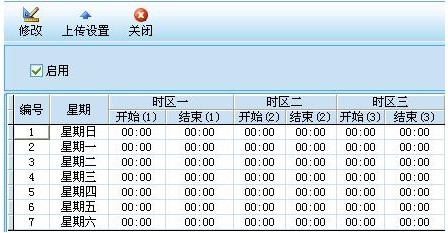
② Connect to the picture operation, first select the "Enable" item, and then select the week that needs to open the door regularly in the screen, click the "Modify" button or double-click the week to appear as shown in the following picture:
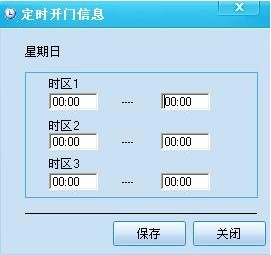
③ Connect to the picture operation, enter the required timing opening time in the screen, click the "save" button to complete the setting of timing opening time.
④ After the above operations are completed, return to the timed door opening interface, click the "Upload Settings" button, as shown in the following picture:
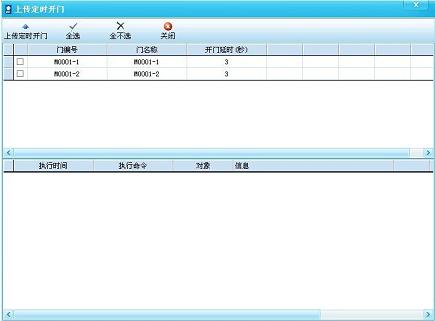
⑤ Connect the figure to the operation, select the access control device that needs to open the door at a fixed time in the screen, click the "upload fixed door" button to complete the operation setting of the fixed door.
Other matters:
You can set a maximum of three time periods.

 Face recognition access control machine series
  Access control equipment
  Fingerprint series equipment
  Elevator floor control equipment
  Access control all-in-one
  L series embedded building access control
  Card reader
  ATM Containment bay control system
  Access control equipment






 Contact us