
Alarm and fire linkage management function
Cooperate with fire fighting equipment in emergency situations.
Steps:
① Click "Alarm and fire linkage Management" in the main menu "Equipment Management" of the software, as shown in the following picture:
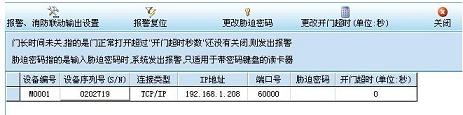
② Connect to the picture, click the "alarm fire linkage setting" button in the screen, as shown in the following picture:
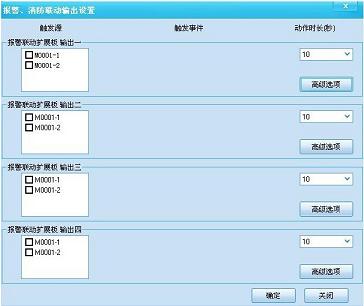
③ Connect the figure to the operation, select the access control equipment that needs to be set linkage in the screen, as shown in the following figure:
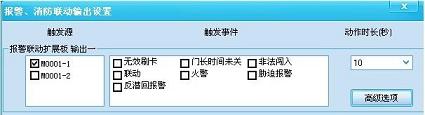
④ Connect to the figure, select the trigger event in the screen, click the "advanced options" button, as shown in the following picture:
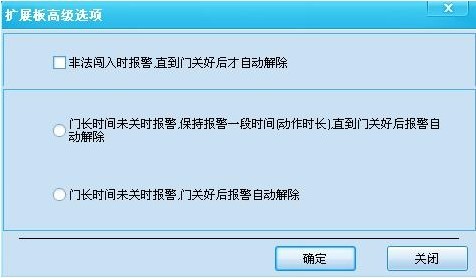
⑤ Connect to the figure, select the required function, click "OK" button, return to the alarm and consumption linkage setting interface, click "OK" to complete the alarm and consumption linkage setting operation.
Other matters:
When setting alarm and consumption linkage, the communication between the access control device and the operating computer needs to be connected, otherwise the setting will not be successful.

 Face recognition access control machine series
  Access control equipment
  Fingerprint series equipment
  Elevator floor control equipment
  Access control all-in-one
  L series embedded building access control
  Card reader
  ATM Containment bay control system
  Access control equipment






 Contact us